Meridian
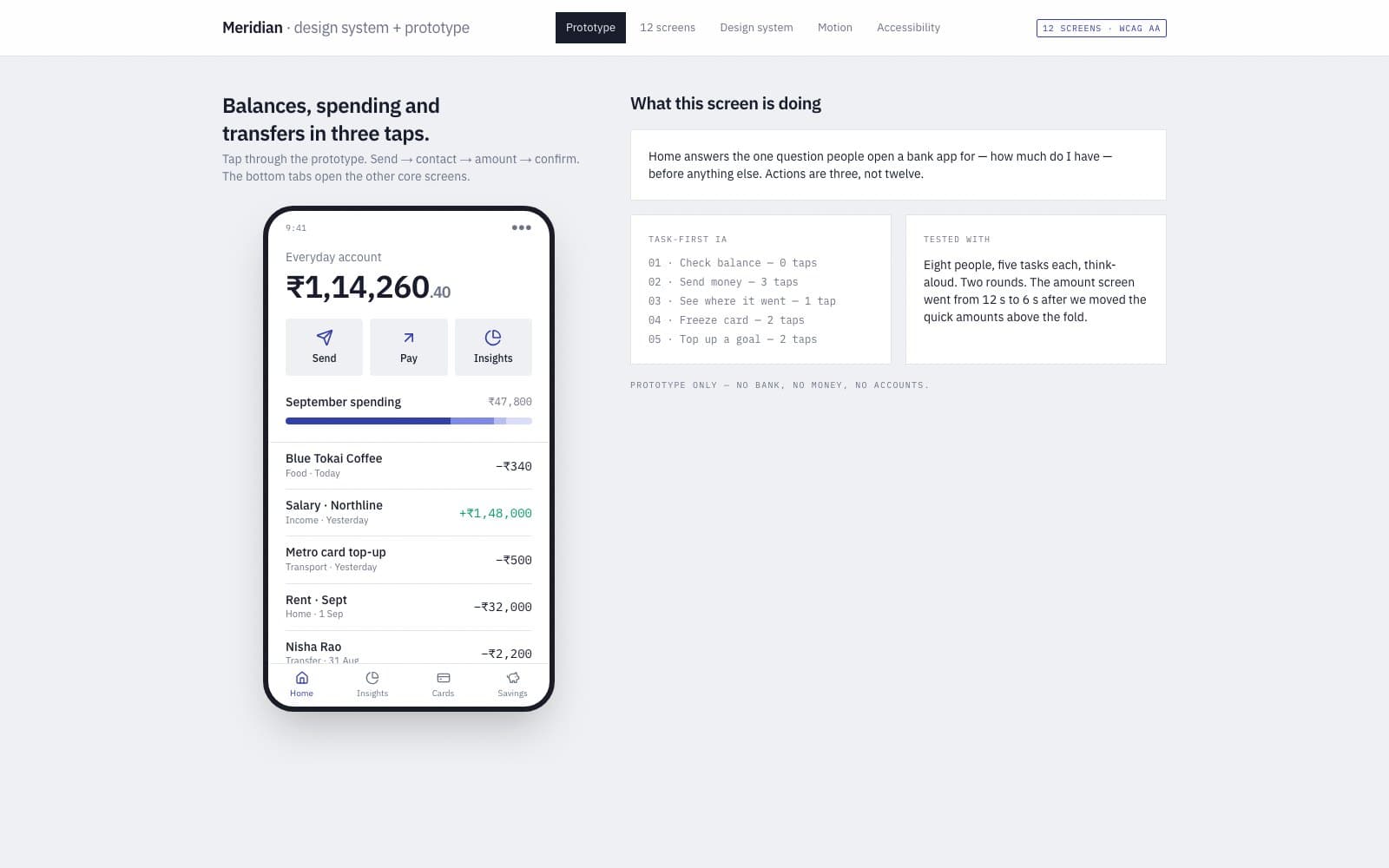
A mobile banking UI concept focused on clarity — balances, spending and transfers in three taps.
- Client type
- Concept build
- Category
- UI/UX
- Role
- Design + engineering
- Year
- 2026
00 / Overview
Overview
How much of a complex product can be made obvious before a line of code?
- Technology
- Figma
- Design System
- React Native
- Motion
- Delivered
- Task-first information architecture
- Design tokens and component library
- Twelve core screens with states
- Motion and micro-interaction specs
01 / The problem
We didn't start with the screen.
Banking apps bury the three things people do most — check a balance, see where money went, send money — under menus and promotions.
02 / The approach
We started with the system.
We started from task frequency instead of feature lists. The home screen answers the first two questions immediately and the third is one gesture away. Everything else moves down the hierarchy.
- SYS / 01Information architecture and flows before visual design
- SYS / 02A design system with tokens the engineers could take straight to code
- SYS / 03Prototype tested with real tasks, then revised
03 / The interface
Then we built the interface.
A complete design system and prototype: typography and colour tokens, component library, twelve core screens, motion specifications and an accessibility review.
Meridian home screen concept01 / 02 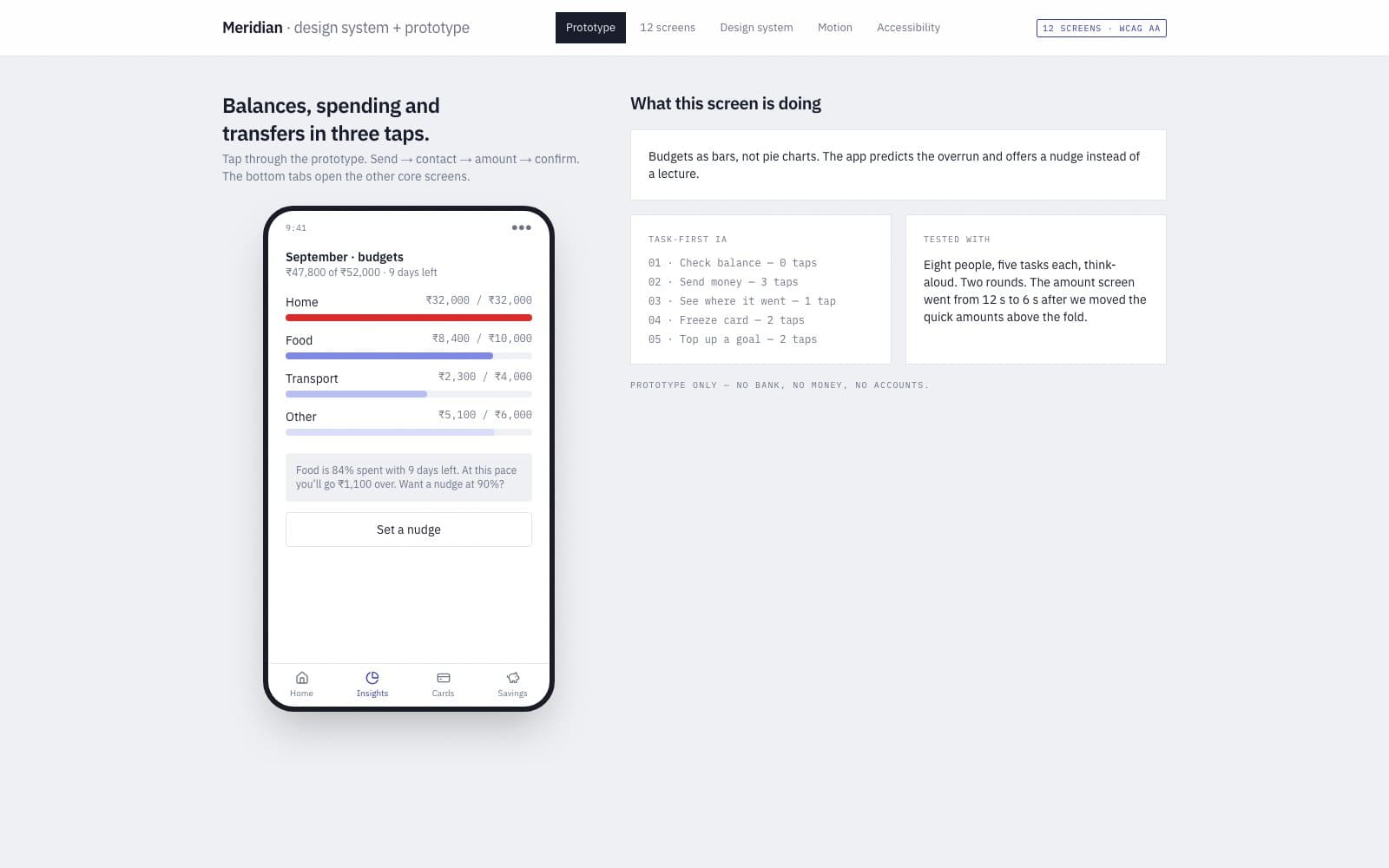
Meridian — the insights screen with budgets and a spending nudge02 / 02
04 / The build
The build
What it does
- Task-first information architecture
- Design tokens and component library
- Twelve core screens with states
- Motion and micro-interaction specs
- Accessibility review (contrast, sizing, screen readers)
Built with
- Figma
- Design System
- React Native
- Motion
05 / The result
The result
A concept build has no client numbers, and we would rather show none than invent some.
What it proves is the approach: problem first, system second, interface last. Results sections appear only on delivered client work, with verifiable outcomes.
Could we build yours?
Next project
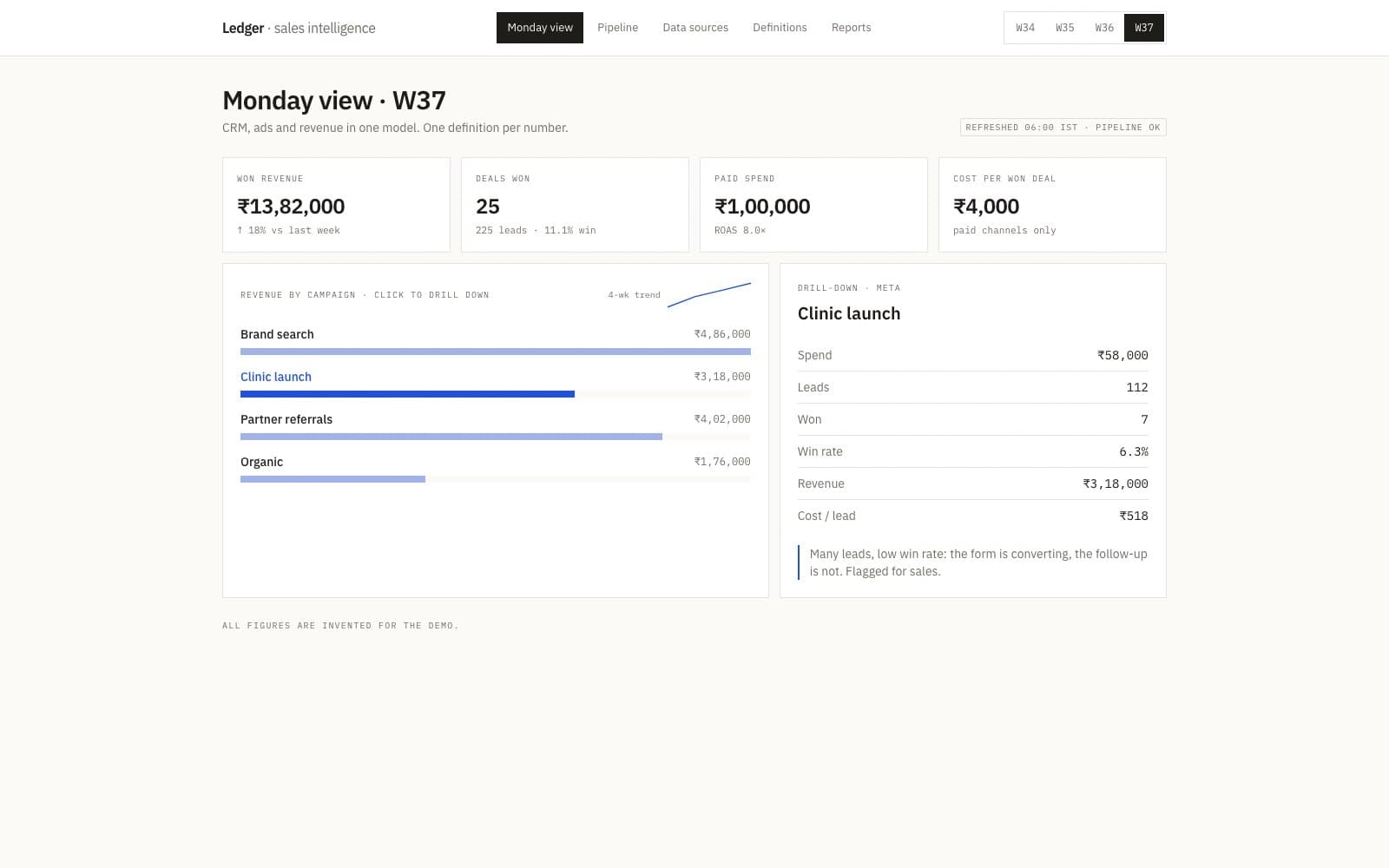
Ledger
A sales intelligence dashboard combining CRM, ads and revenue data into one weekly view.